


Set up in a couple of minutes
Place the sensor
Put the sensor on or right next to the battery before you start charging.
Open the app
The app finds nearby sensors over Bluetooth automatically. Give each one a name and location, such as "E-bike charger, Garage".
Keep it open while charging
Watch the live temperature. If it passes your threshold or climbs quickly, an alert appears on screen.
Everything you need to keep an eye on the charge
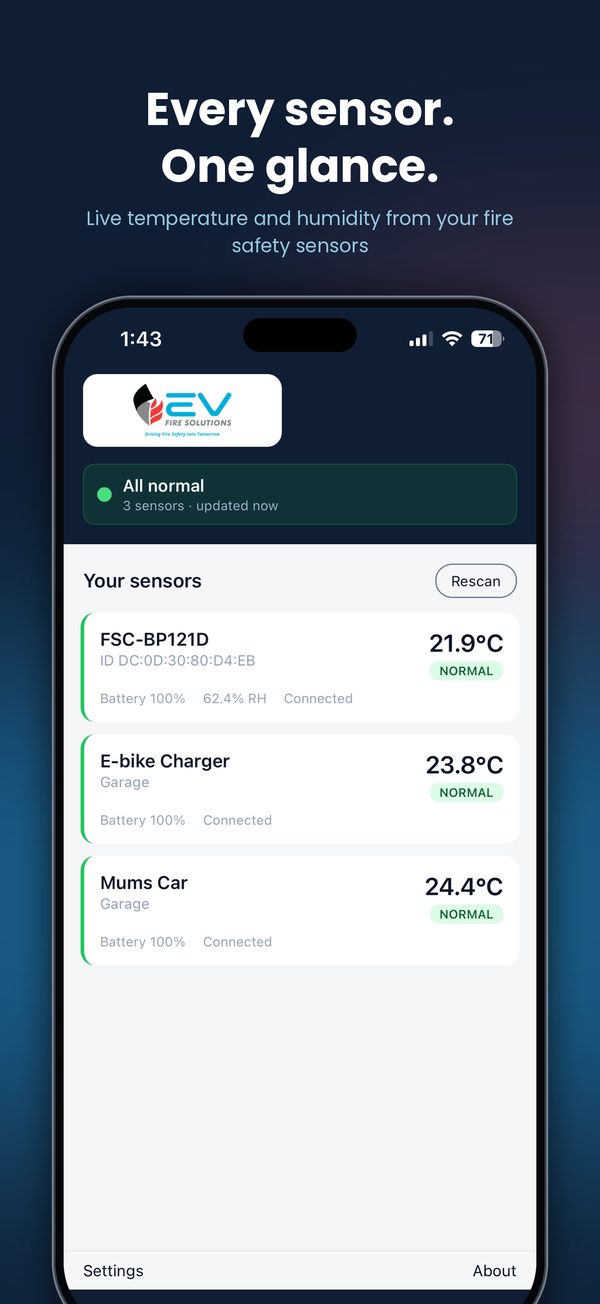
Every sensor at a glance
One dashboard shows every sensor, its temperature and its status, with a clear "All normal" or alert banner at the top.
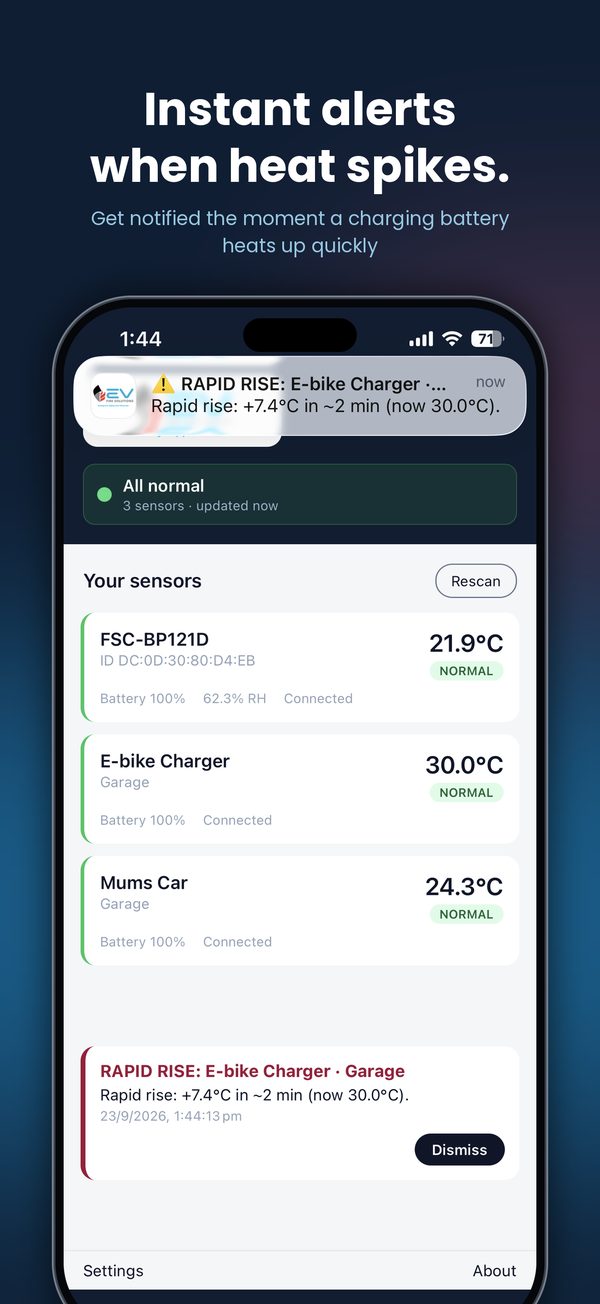
Rapid-rise alerts
A battery that jumps several degrees in a couple of minutes is flagged straight away, even before it reaches your warning level.
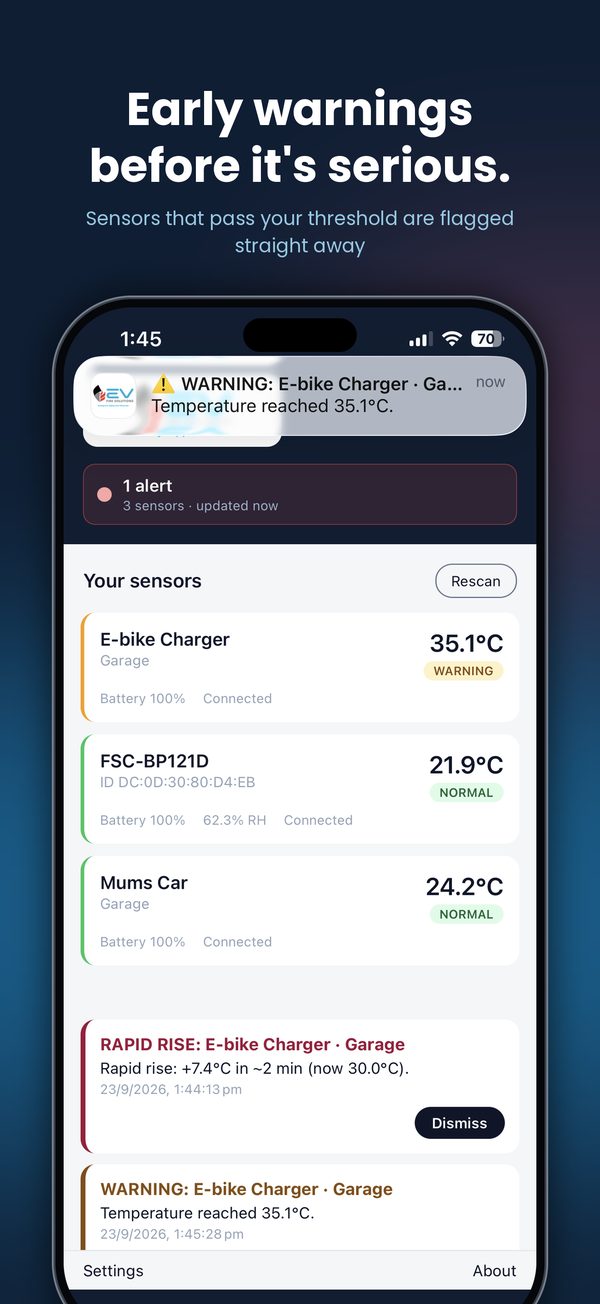
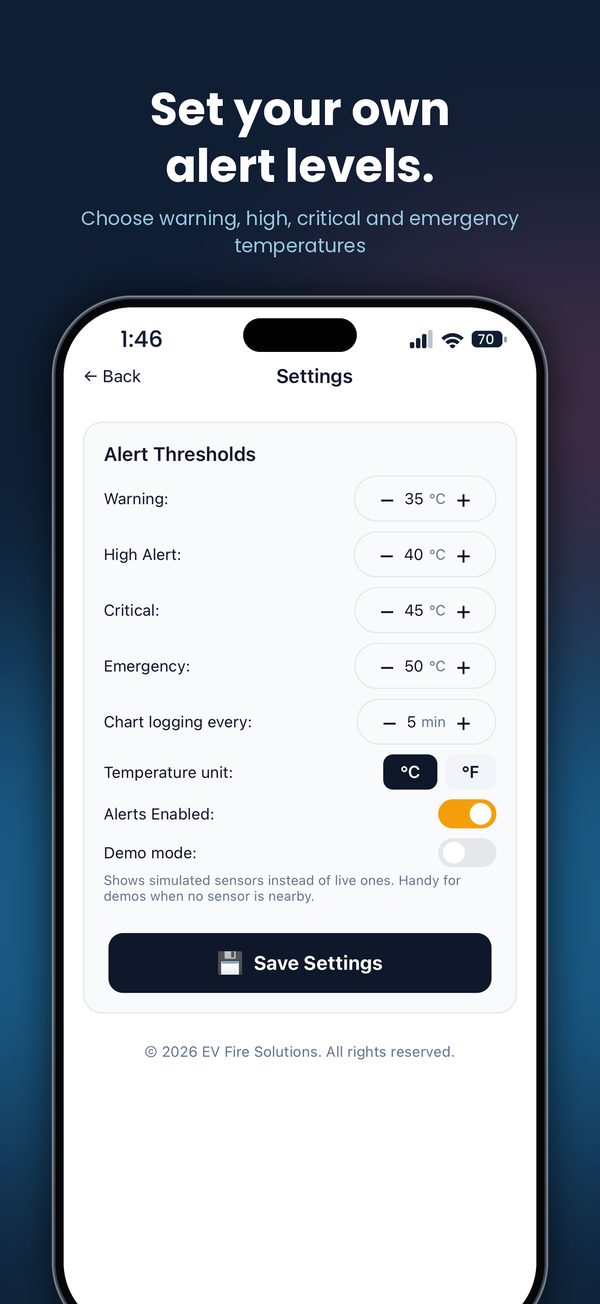
Four alert levels
Set your own warning, high, critical and emergency temperatures.
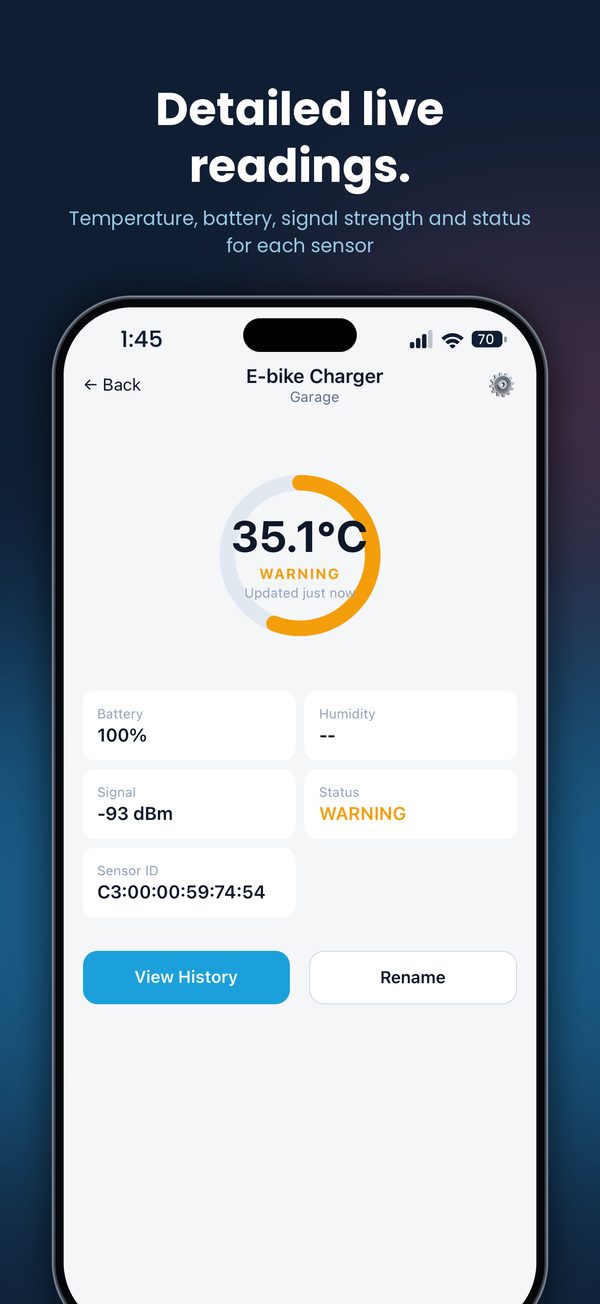
Detailed live readings
Open any sensor for its temperature, sensor battery level, signal strength and status, plus humidity on sensors that support it.
Alert history
Alerts stay on screen with the time they happened, so you can check the battery and dismiss them once you're happy.
Private by design
No account, no tracking and no data collected. Readings and settings stay on your iPhone. Privacy policy
See the app in action
From the everyday dashboard to a rapid-rise alert on an e-bike charger. Scroll across to see each screen.
A temperature reader, not a fire alarm
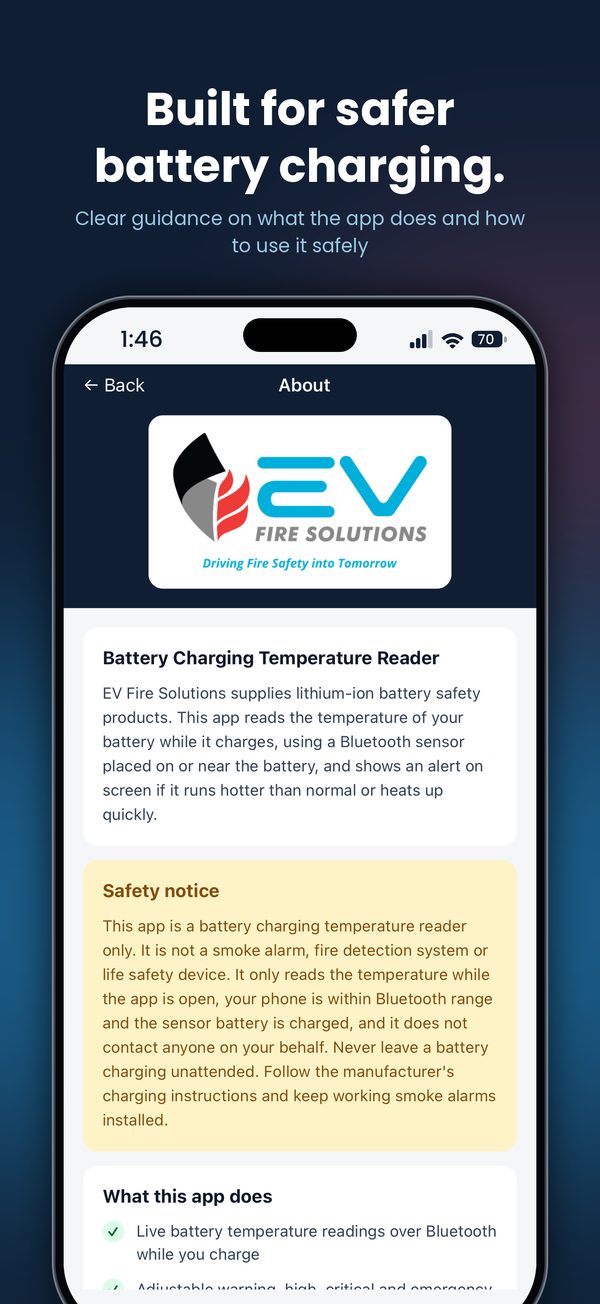
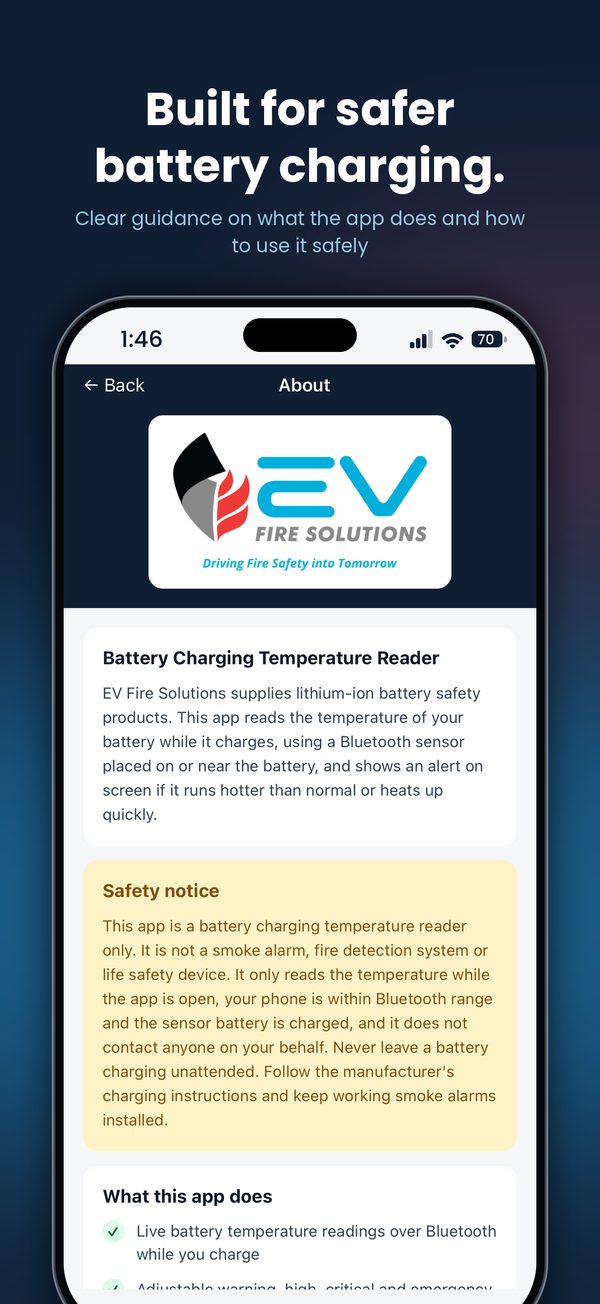
We'd rather you know exactly what you're getting. The monitor gives you an early, visible warning. It is one layer of protection, not the only one.
What it does
- Shows the live temperature of a battery while it charges
- Alerts on screen when a battery runs hotter than your set level
- Flags a battery that heats up quickly
- Monitors several batteries or chargers at once
What it doesn't do
- It is not a smoke alarm, fire detection system or life safety device
- It only reads while the app is open, your phone is in Bluetooth range and the sensor battery is charged
- It does not contact anyone on your behalf
- It does not replace safe charging: never leave a battery charging unattended and keep working smoke alarms installed
Wherever lithium-ion batteries charge
E-bikes
Garage, balcony or laundry charging
E-scooters
Overnight top-ups at home
Power tools
Workshop and site battery chargers
Mobility scooters
Home and care-facility charging
Pair it with the right equipment
The monitor tells you when to check a battery. This is what you want within reach if the answer is bad.
Frequently asked questions
Which phones does it work with?
The EVFS Battery Temp Monitor app is available for iPhone on the App Store. An Android version is not currently available.
Does it work when the app is closed?
No. The app reads the sensor while it is open and your phone is within Bluetooth range. Keep the app open and your phone nearby for the whole charge.
How close does my phone need to be?
Within Bluetooth range of the sensor. Range depends on walls, doors and interference, so for reliable readings keep your phone in the same room or the next room. The app shows the signal strength for each sensor.
Can I monitor more than one battery?
Yes. Add as many sensors as you need and name each one by charger and location, for example "E-bike charger, Garage" or "Mum's car".
What temperatures should I set?
The app starts at warning 35°C, high 40°C, critical 45°C and emergency 50°C, and you can adjust each one. Check your battery or device manufacturer's charging guidance, as normal charging temperatures vary between products.
Do I need an account or internet connection?
No. There is no sign-in and the app works over Bluetooth only. We don't collect any data. See our privacy policy.
Is it a fire alarm?
No. It is a battery charging temperature reader only. It is not a smoke alarm, fire detection system or life safety device, and it does not contact anyone. Never leave a battery charging unattended and keep working smoke alarms installed.
Start monitoring your next charge
Get the sensor, download the free app, and see what your battery is doing. Questions? Email sales@evfiresolutions.com.au.